Which SEO Plugin Is Best for WordPress? A Complete Comparison
Which SEO Plugin Is Best for WordPress? A Complete Comparison
Choosing the right SEO plugin is one of the first decisions you should make when building a WordPress website.
A good SEO plugin can help you manage SEO titles and meta descriptions, XML sitemaps, schema markup, redirects, social media metadata, and other technical SEO settings without requiring you to edit code manually.
But which SEO plugin is actually the best for WordPress?
The most popular choices today include Rank Math, Yoast SEO, All in One SEO (AIOSEO), and SEOPress.
In this guide, we’ll compare these plugins and explain which one is best for different types of WordPress websites.
Quick Answer: Which WordPress SEO Plugin Is Best For WordPress?
For most WordPress websites, Rank Math is one of the best all-around SEO plugins, especially if you want a large feature set without immediately paying for a premium plugin.
However, there isn’t one plugin that is perfect for everyone.
| SEO Plugin | Best For | Our Pick |
|---|---|---|
| Rank Math | Features and advanced SEO controls | ⭐ Best Overall |
| Yoast SEO | Beginners and established websites | ⭐ Best for Beginners |
| AIOSEO | Businesses and advanced SEO management | ⭐ Best for Businesses |
| SEOPress | Agencies and developers | ⭐ Best for Agencies |
Your choice should depend on your website, your SEO knowledge, and the features you actually need.
1. Rank Math
Rank Math has become one of the most popular alternatives to Yoast SEO and currently has more than 4 million active installations on WordPress.
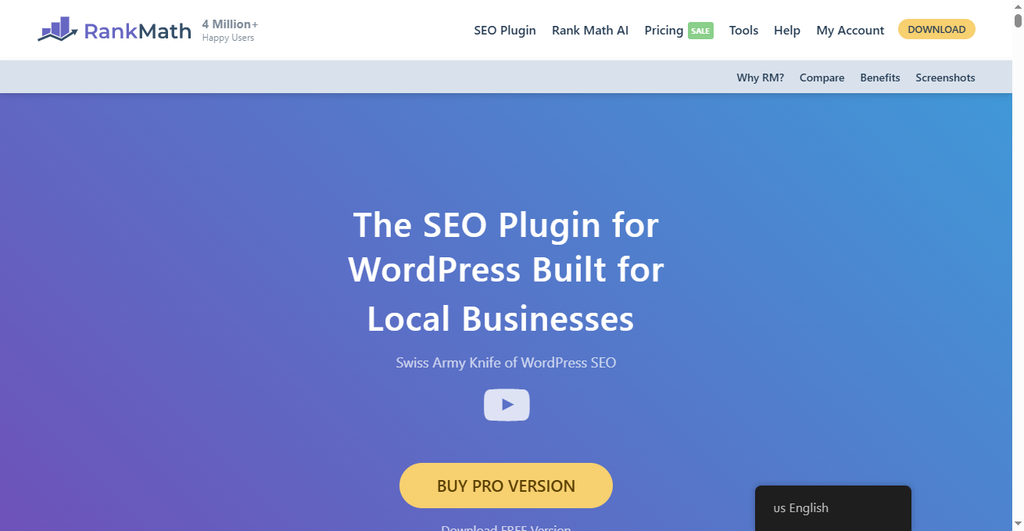
It provides a large collection of SEO features from a single plugin, including:
- SEO title and meta description controls
- XML sitemaps
- Schema markup
- Redirections
- 404 monitoring
- Google Search Console integration
- WooCommerce SEO
- Local SEO features
- Internal link suggestions
- SEO analysis
- AI-related SEO tools
Rank Math also continues to add new features. Its recent releases include AI visibility tools, additional integrations with AI assistants, and improvements to its sitemap and 404-monitoring tools.
Pros of Rank Math
- Large feature set
- Strong free version
- Good schema support
- Built-in redirections
- WooCommerce support
- Search Console integration
- Suitable for beginners and advanced users
Cons of Rank Math
- The number of settings can feel overwhelming
- Some advanced features require a paid plan
- Users who want a very simple SEO interface may prefer Yoast
Who Should Use Rank Math?
Rank Math is a particularly good choice if you want many SEO tools in one plugin and don’t want to install several separate plugins.
Our rating: 9.5/10
2. Yoast SEO
Yoast SEO is one of the oldest and most established WordPress SEO plugins.
It currently has 10+ million active installations, making it the most widely installed plugin in this comparison.
Yoast focuses heavily on making SEO understandable for website owners. Its content analysis and readability tools are particularly useful for people who are new to SEO.
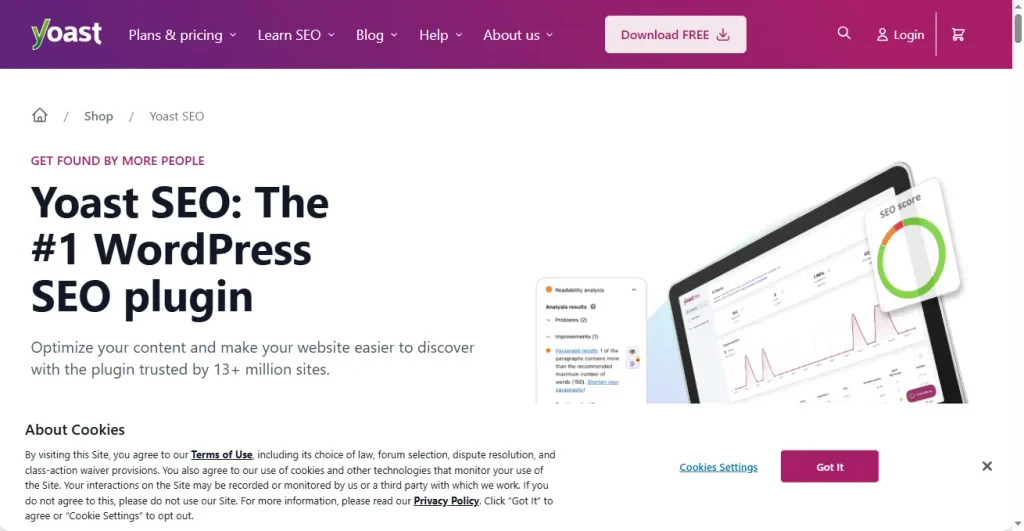
Yoast includes features such as:
- SEO title and meta description optimization
- XML sitemaps
- Schema markup
- Canonical URLs
- Breadcrumbs
- Content analysis
- Readability analysis
- Social media previews
- Internal linking tools in premium
- AI-assisted SEO features in premium
Yoast Premium currently includes additional features such as AI-assisted title and meta description generation, advanced structured data capabilities, Local SEO, Video SEO, and News SEO functionality.
Pros of Yoast SEO
- Extremely popular
- Beginner-friendly
- Excellent documentation
- Strong content analysis
- Long history in WordPress SEO
- Large ecosystem
Cons of Yoast SEO
- Many advanced features require Premium
- Can become more expensive if you need several additional features
- Some users may find Rank Math offers more functionality in its free version
Who Should Use Yoast SEO?
Yoast is a great option for beginners, bloggers, publishers, and businesses that want a mature and straightforward SEO solution.
Our rating: 9/10
3. All in One SEO (AIOSEO)
All in One SEO, commonly called AIOSEO, is another major WordPress SEO plugin.
It currently has 2+ million active installations.
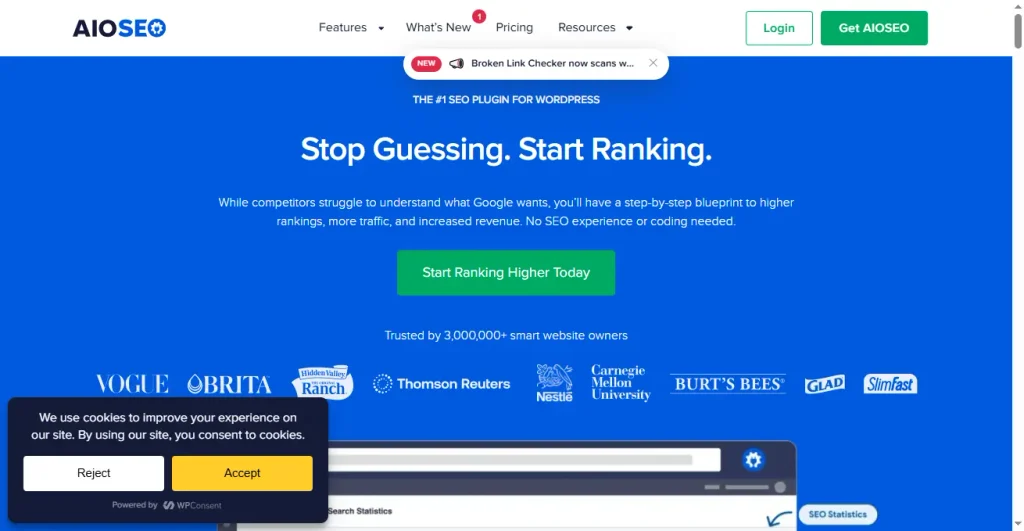
AIOSEO provides tools for:
- On-page SEO
- XML and RSS sitemaps
- Schema markup
- Local SEO
- WooCommerce SEO
- Redirects
- SEO audits
- Google Search Console integration
- Internal linking
- Keyword tracking
- Author SEO
- SEO statistics
Its paid plans also include features such as SEO revisions, advanced redirects, 404 tracking, internal link suggestions, and search statistics depending on the plan.
Pros of AIOSEO
- Comprehensive SEO toolkit
- Strong local SEO features
- WooCommerce support
- Good schema implementation
- Advanced SEO reports
- Suitable for businesses
Cons of AIOSEO
- Many advanced features are paid
- Can be more expensive than some alternatives
- The number of features may be unnecessary for a simple blog
Who Should Use AIOSEO?
AIOSEO is a strong choice for business websites, WooCommerce stores, agencies, and users who want detailed SEO management tools.
Our rating: 9/10
4. SEOPress
SEOPress is another excellent option that doesn’t receive as much attention as Rank Math and Yoast.
It currently has more than 300,000 active installations and offers features including schemas, redirects, XML sitemaps, Google Search Console integration, image SEO, breadcrumbs, and broken-link tools.
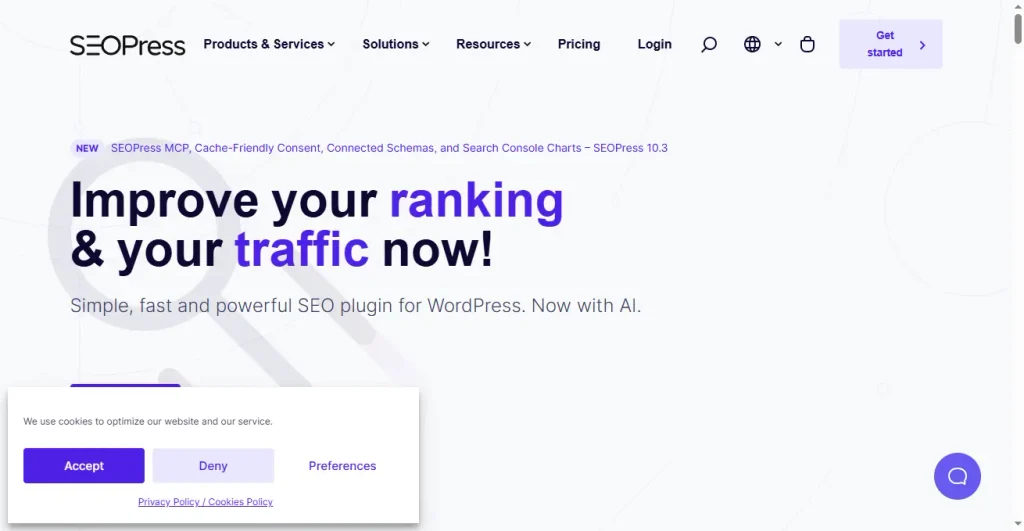
One of SEOPress’s biggest advantages is its modular approach.
You can disable features you don’t need, which can help keep your WordPress dashboard cleaner.
SEOPress also positions itself strongly toward agencies and developers, with features such as white labeling, REST API support, and WP-CLI compatibility.
Pros of SEOPress
- Clean interface
- Modular architecture
- Strong technical SEO features
- White-label functionality
- Good for agencies
- Competitive pricing
Cons of SEOPress
- Smaller user base than Yoast and Rank Math
- Some advanced features require Pro
- Beginners may find some settings less familiar
Who Should Use SEOPress?
SEOPress is an excellent option for developers, agencies, freelancers, and experienced WordPress users who want control without unnecessary interface clutter.
Our rating: 8.8/10
Rank Math vs Yoast vs AIOSEO vs SEOPress
Let’s compare the plugins at a glance.
| Feature | Rank Math | Yoast | AIOSEO | SEOPress |
|---|---|---|---|---|
| SEO Titles & Meta | ✅ | ✅ | ✅ | ✅ |
| XML Sitemaps | ✅ | ✅ | ✅ | ✅ |
| Schema | ✅ | ✅ | ✅ | ✅ |
| Redirects | ✅ | ✅ | ✅ | ✅ |
| 404 Monitoring | ✅ | Premium | ✅ | ✅ |
| WooCommerce SEO | ✅ | Premium | ✅ | Premium |
| Local SEO | ✅ | Premium | ✅ | Premium |
| Google Search Console | ✅ | ✅ | ✅ | ✅ |
| Internal Linking | ✅ | Premium | Premium | ✅ |
| AI Features | ✅ | ✅ | ✅ | ✅ |
| Free Version | ✅ | ✅ | ✅ | ✅ |
The exact availability of features varies by plugin version and paid plan, so you should check the current plan details before purchasing.
Which SEO Plugin Is Best for Beginners?
If you’re completely new to SEO, Yoast SEO is a very safe choice.
Its interface and content analysis tools make it easy to understand the basics of on-page SEO.
However, Rank Math is also beginner-friendly once configured properly and provides a larger set of tools in one dashboard.
Our recommendation:
Yoast SEO for simplicity.
Rank Math for more features.
Which SEO Plugin Is Best for WooCommerce?
For WooCommerce websites, I’d put Rank Math and AIOSEO near the top of the list.
WooCommerce stores need more than basic blog SEO. Product structured data, product titles, descriptions, category pages, redirects, indexing controls, and technical SEO can all become important as a store grows.
AIOSEO explicitly provides WooCommerce SEO functionality, while Rank Math also offers WooCommerce-focused SEO features.
Our recommendation:
Rank Math for most WooCommerce users.
AIOSEO for businesses that want more advanced SEO management and reporting.
Which SEO Plugin Is Best for Agencies?
For agencies managing multiple WordPress websites, SEOPress is worth serious consideration.
Its white-label functionality and agency-oriented features can be useful when SEO management needs to be presented as part of an agency’s own service.
Rank Math and AIOSEO are also strong options for agencies, particularly when advanced reporting and broader feature sets are important.
Our recommendation:
SEOPress for white-label agency workflows.
Rank Math or AIOSEO for larger feature requirements.
Does an SEO Plugin Automatically Improve Google Rankings?
No.
This is one of the most important things to understand.
Installing an SEO plugin does not automatically make your website rank higher.
An SEO plugin gives you tools to optimize your website.
You still need:
- High-quality content
- Good keyword research
- Useful pages
- Internal links
- Quality backlinks
- Fast website performance
- Mobile-friendly design
- Good technical SEO
- Search intent optimization
- A strong website structure
Think of an SEO plugin as a toolbox, not a ranking button.
Can You Use More Than One SEO Plugin?
You generally should not run multiple full SEO plugins at the same time.
For example, you should not normally run:
Rank Math + Yoast SEO + AIOSEO
on the same website.
Multiple SEO plugins can generate overlapping:
- Meta tags
- Canonical URLs
- Schema
- XML sitemaps
- Open Graph tags
- Robots directives
This can create conflicts and make troubleshooting much harder.
Choose one primary SEO plugin and configure it properly.
So, Which SEO Plugin Should You Choose?
There is no universal winner.
The best plugin depends on what you’re trying to accomplish.
Choose Rank Math if:
You want a powerful all-in-one SEO plugin with a large feature set.
Choose Yoast SEO if:
You want a mature, beginner-friendly plugin with excellent content guidance.
Choose AIOSEO if:
You run a business or WooCommerce website and want comprehensive SEO management.
Choose SEOPress if:
You’re an agency, freelancer, or advanced user who values a clean and modular SEO setup.
Our Overall Winner: Rank Math
For the average WordPress website, Rank Math is our overall pick.
It offers a broad range of SEO features, including schema, XML sitemaps, redirects, 404 monitoring, WooCommerce SEO, Search Console integration, and other advanced tools. Rank Math currently has more than 4 million active installations and a 4.8/5 rating on WordPress.org.
But remember: the plugin itself isn’t what makes your website rank.
Your SEO strategy, content quality, technical setup, website performance, and ability to satisfy search intent matter much more.
The best SEO plugin is ultimately the one you can configure correctly and consistently use.
Final Comparison
Best Overall: Rank Math
Best for Beginners: Yoast SEO
Best for Businesses: AIOSEO
Best for Agencies: SEOPress
Best for WooCommerce: Rank Math
Best for Advanced Users: Rank Math / SEOPress
If you’re starting a new WordPress website today and want a powerful SEO toolkit without making your setup unnecessarily complicated, Rank Math is an excellent place to start.
How to fix 404 not found issue for rank math sitemap.xml issue
How to fix 404 not found issue for rank math sitemap.xml issue
In this post you will find how to solve the issue if you are facing the 404 not found issue for the sitemap using rank math or any othere plugins.
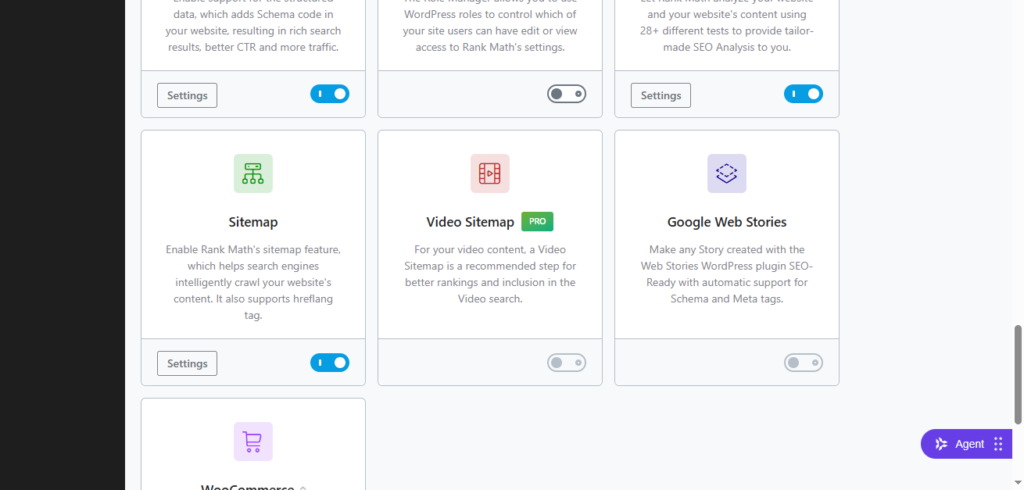
First of all you have to check in any plugin that sitemap is enable
and then you have to check Https://yourstiename/?sitemap=1 check if the sitemap is loading or not.
If this URL shows an XML sitemap, then Rank Math itself is working and the problem is your server’s rewrite rules. Rank Math specifically recommends this test.
If ?sitemap=1 works
If it is working then go to your files manager plugin or public_html in the file browser then look for .htaccess file and add this code in the bottom of the file
RewriteEngine On
RewriteBase /

RewriteRule ^sitemap_index\.xml$ /index.php?sitemap=1 [L]
RewriteRule ^([^/]+?)-sitemap([0-9]+)?.xml$ /index.php?sitemap=$1&sitemap_n=$2 [L]
RewriteRule ^([a-z]+)?-?sitemap\.xsl$ /index.php?xsl=$1 [L]

Then save that file. These are the rewrite rules recommended by Rank Math for Apache servers. But don't add them yet if you haven't tested ?sitemap=1. We should first determine exactly where the problem is.
Also check for a physical sitemap file
Some time it is happen that the sitemap is already in your public folder. So first of all we have to check it using FTP/File Manager, look inside your WordPress root: public_html/ check for the sitemap.xml file and delete that file and then check your 404 error will removed.
Clear caching for solve 404 not found issue
If you’re using something like:
- LiteSpeed Cache
- WP Rocket
- W3 Total Cache
- Cloudflare
- Bluehost/server cache
clear the cache.
Sitemaps should also be excluded from caching because cached 404 responses can cause this exact problem.
Flush WordPress Permalinks
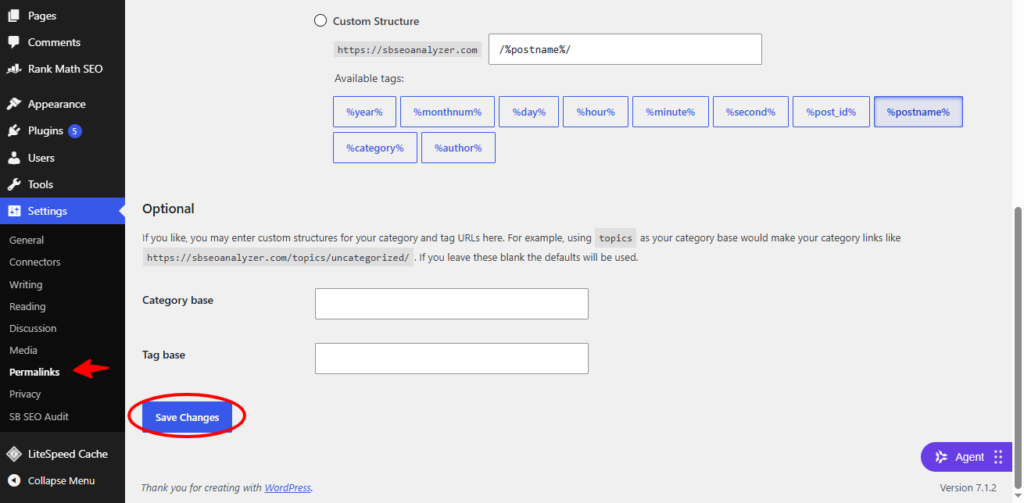
Go to: Settings → Permalinks Don’t change anything. Just click: Save Changes. This is one of the main fixes Rank Math recommends for a sitemap.xml 404 not found issue.
How to Fix Missing Meta Descriptions
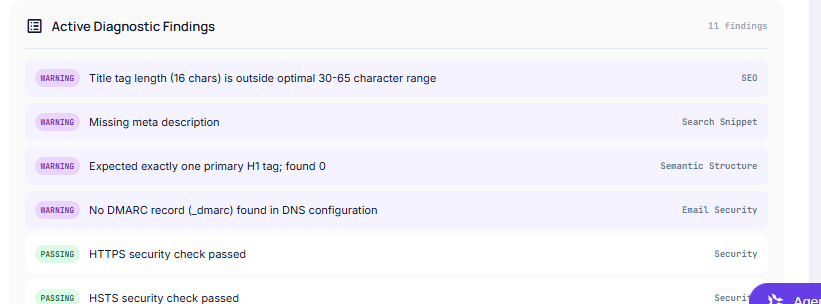
Have you run an SEO audit on your website using Sbseoanalyzer , Ahrefs, Semrush, or Screaming Frog, only to be met with a frustrating warning: “Missing meta description”?
While missing meta descriptions won’t trigger an immediate search penalty, leaving them blank means missing out on one of your best opportunities to drive search traffic. A well-crafted meta description acts as your site’s search engine billboard, influencing whether users click on your result or scroll past to a competitor.
In this guide, you’ll learn why meta descriptions matter, how to fix missing meta descriptions in WordPress Or any other platform using popular SEO methods, and best practices to ensure search engines actually display them.
Why Missing Meta Descriptions Hurt Your SEO
Search engines like Google don’t directly rank pages higher just because they have a meta description. However, meta descriptions directly impact Click-Through Rate (CTR).
Here is why resolving missing meta descriptions is vital:
- Higher Click-Through Rates: A clear snippet entices searchers to click your link over others. Higher CTR sends positive user-engagement signals to Google.
- Control Over Your Brand Message: If you leave the description blank, search engine bots will automatically extract a snippet of text from your content. This pulled text often lacks context or a call to action.
- Social Media Sharing: When users share your link on platforms like Facebook or LinkedIn, the platform usually pulls your meta description as the preview text.
Method 1: Fix Missing Meta Descriptions Using Yoast SEO
Yoast SEO is one of the most widely used SEO plugins for WordPress.
- Open the Page/Post: Navigate to your WordPress Dashboard, go to Posts or Pages, and open the item flagged for missing a description.
- Scroll to the Yoast Meta Box: Scroll down below the main content editor until you locate the Yoast SEO section. (If using the Gutenberg Block Editor, you can also access this via the Yoast icon in the top right sidebar).
- Expand the Google Preview: Click on Search appearance or view the snippet preview.
- Enter Your Meta Description: Type your snippet directly into the Meta description field.
- Check the Progress Bar: Yoast provides a real-time progress bar. Green indicates your description length is optimal (roughly 120–155 characters). Orange means it is too short or too long.
- Update Your Post: Click Update or Publish at the top right to save your changes.
Method 2: Fix Missing Meta Descriptions Using Rank Math
Rank Math makes setting site-wide and per-page meta descriptions straightforward.
- Open the Post Editor: Open the WordPress post or page you wish to edit.
- Access Rank Math Panel: Click the Rank Math SEO score badge in the top-right corner of the editor.
- Click “Edit Snippet”: In the General tab, click the Edit Snippet button to launch the Preview Modal.
- Fill in the Description Field: Scroll to the Description box and enter your custom snippet.
- Monitor Length Counter: Keep an eye on the character/pixel counter to ensure your text fits neatly without truncation.
- Save Changes: Close the snippet modal and click Update on your WordPress post.
Method 3: Fix Missing Meta Descriptions Site-Wide (Homepage & Archives)
Audit tools frequently flag homepage, category, or tag archive pages for missing meta descriptions.
Setting Homepage Meta Description
- Yoast SEO: Go to SEO > Search Appearance > General tab, and set your Homepage title and description.
- Rank Math: Go to Rank Math > Titles & Meta > Homepage.
Setting Category & Tag Archive Meta Descriptions
- Go to Posts > Categories (or Tags).
- Hover over a category and click Edit.
- Scroll down to the SEO plugin settings panel on that category page.
- Add your custom snippet and click Update.
For All othere plateforms
In the header of your site you will write the meta tags
<!DOCTYPE html>
<html lang="en">
<head>
  <meta charset="UTF-8">
  <meta name="viewport" content="width=device-width, initial-scale=1.0">

  <!-- Title Tag -->
  <title>Best Homemade Pizza Recipe | Cooking Corner</title>

  <!-- Meta Description -->
  <meta name="description" content="Learn how to make crispy, delicious homemade pizza from scratch with our step-by-step recipe and tips for perfect crust.">
</head>
<body>
  <h1>Homemade Pizza Recipe</h1>
  <p>Welcome to the ultimate guide...</p>
</body>
</html>
this is the aboue example that how you can add meta description and title in your website
Best Practices for Writing Meta Descriptions That Rank
To turn missing meta descriptions into high-converting search snippets, follow these golden rules:
| Element | Target Recommendation | Why It Matters |
| Length | 120 – 155 characters | Prevents Google from truncating your text with “…” on mobile or desktop screens. |
| Primary Keyword | Include within the first 80 characters | Google bolds words in the snippet matching the user’s search query, attracting eyes. |
| Call to Action (CTA) | Use actionable verbs | Words like Learn, Discover, Find out, or Get prompt immediate user action. |
| Uniqueness | 1 unique snippet per page | Avoid duplicate meta descriptions across multiple posts, as search engines may ignore them. |
Why Google Might Still Ignore Your Custom Meta Description
Even after fixing every missing meta description on your site, you may notice Google displaying a different text snippet in search results.
Google dynamically rewrites meta descriptions up to 70% of the time if it determines that a sentence directly from your body content better matches the specific query entered by the user.
How to handle this:
- Don’t panic—as long as your plugin contains a written meta description, your audit tools will mark the issue as Resolved.
- Ensure your custom meta description accurately reflects the primary intent of the page so Google is more likely to use it.